How to Approve a Calendar Entry
1) Go to Membershipworks and login.
2) Choose “Event Calendar” from the menu on the left
3) Go to the date of the event in the email you received
Using the Calendar Entry Instructions, review the calendar entry to make sure all items are correct. Clean up the description, removing special instructions that were put there for you to use. Review the description to make sure that it has all items covered, i.e. carpooling, price, “non-refundable”, where to meet, what time to meet, description of the venue, etc.
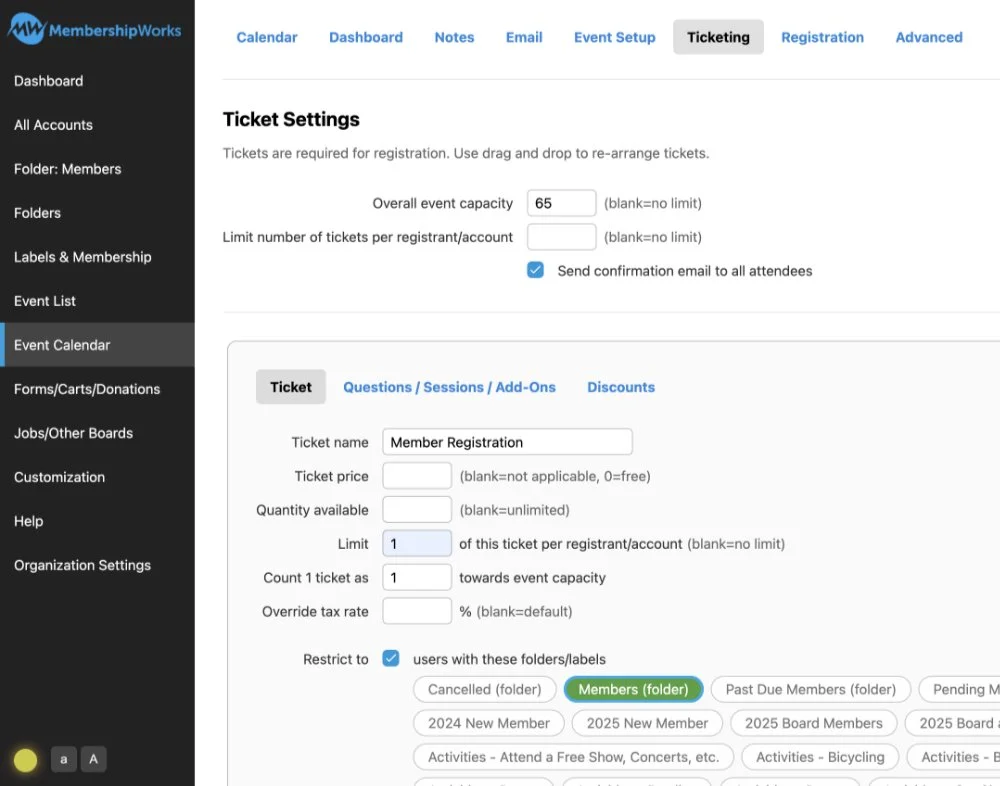
Step 1 - If everything is correct under Ticket Settings, check the box next to “Restrict to” and click on “Members Folder”. This insures that only our members can register to attend this event.
Make sure that the “Questions” Member Name and Member Email have been completed.
Scroll to the bottom and click
Save”
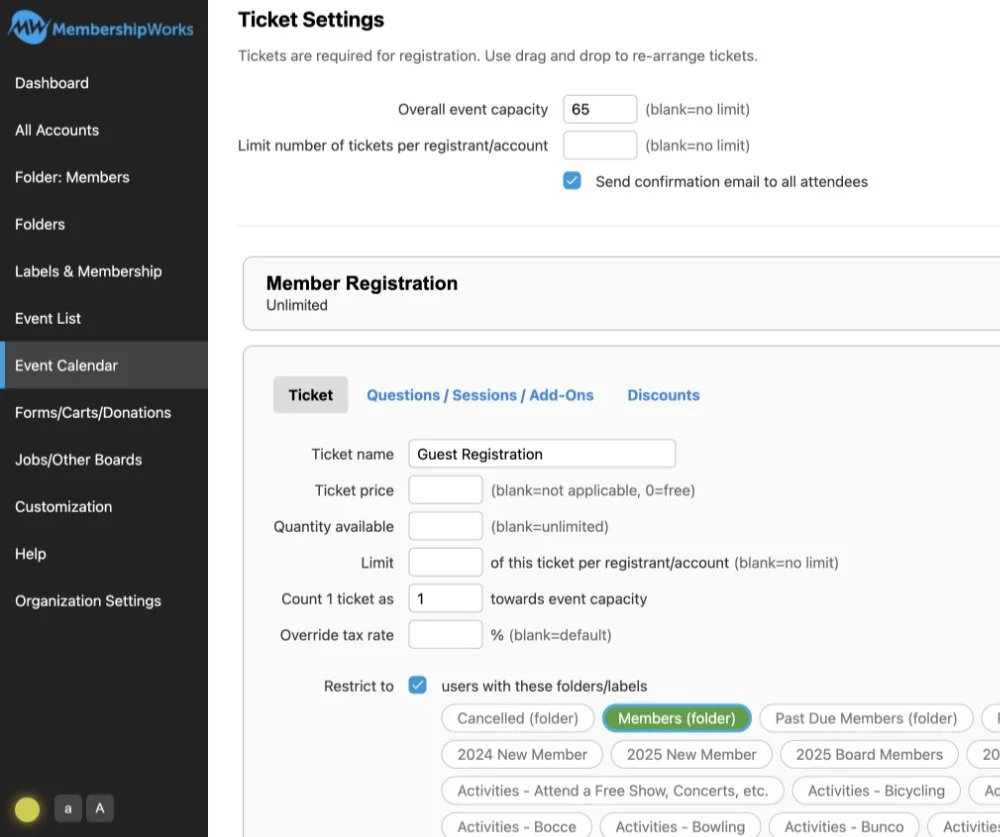
Step 2 - Open the Guest Registration ticket (if there is one). Insure that “Limit” is left blank and that the “Questions” (Guest Name and Guest Email”) have been completed.
Check the box next to “Restrict to” and click on “Members Folder”. This insures that only our members can register guests to attend this event.
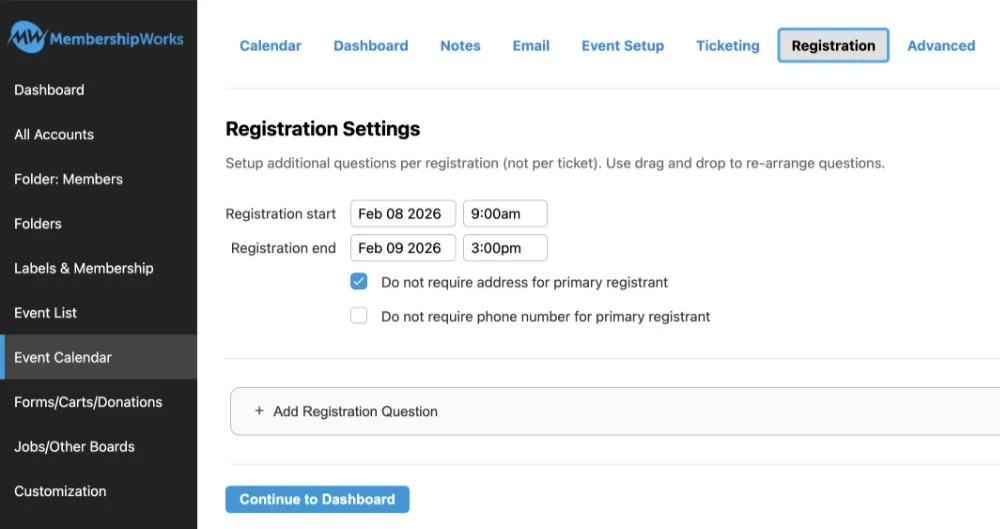
Step 3 - Check the Registration start and end dates and times and make sure they make sense. If not, call the calendar entry member to clarify.
Your next step will be to choose “Advanced” from the top menu.
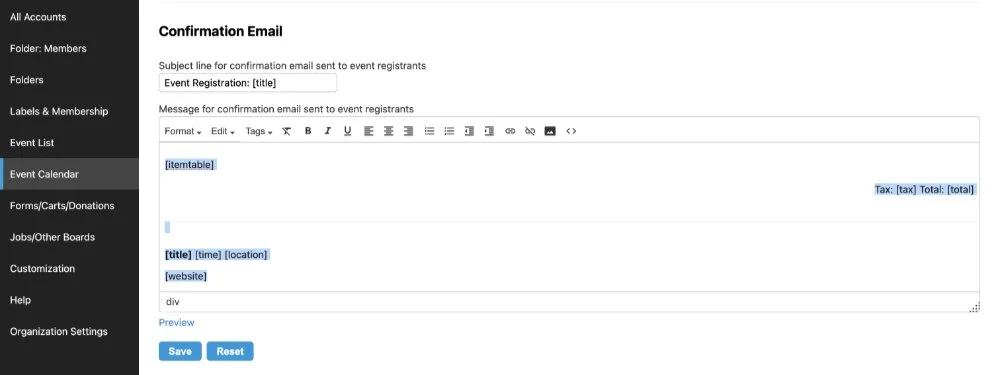
Step 4 - Scroll down to Confirmation Email. Highlight and delete everything below Thank You. Leave the Thank You in the email.
Step 5 - Copy and paste the paragraphs at the right (from Dear [name]: through [website]) in the Confirmation Email box below the “Thank You!”.
When done copying, scroll down and click “Save” below the Confirmation Email.
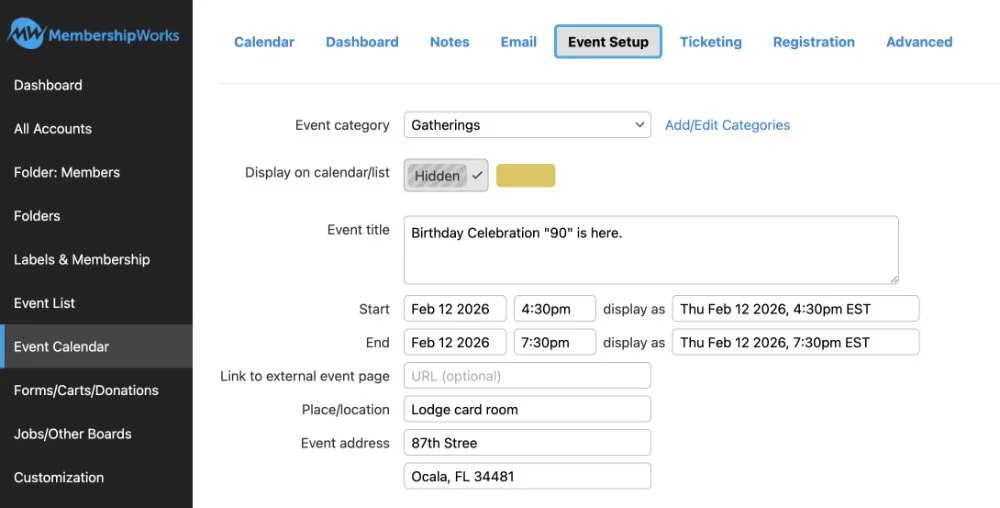
Step 6 - Using the menu at the top, go back to Event Setup. Make sure the category is correct. Click the colored category box. This will unclick the Hidden box. Scroll down below the description and click “Save”.
Go to the website: otowactivesingles.com and insure that the item is on the calendar.
Dear [name]:
This is your notice that you have registered to attend [title] [time] [location]. Your registration information is as follows:
[tqn]
If you find you need to cancel attending this activity, please [click here] or go back to the activity on the calendar and click the link provided.
[website]